
What's New - July 2026
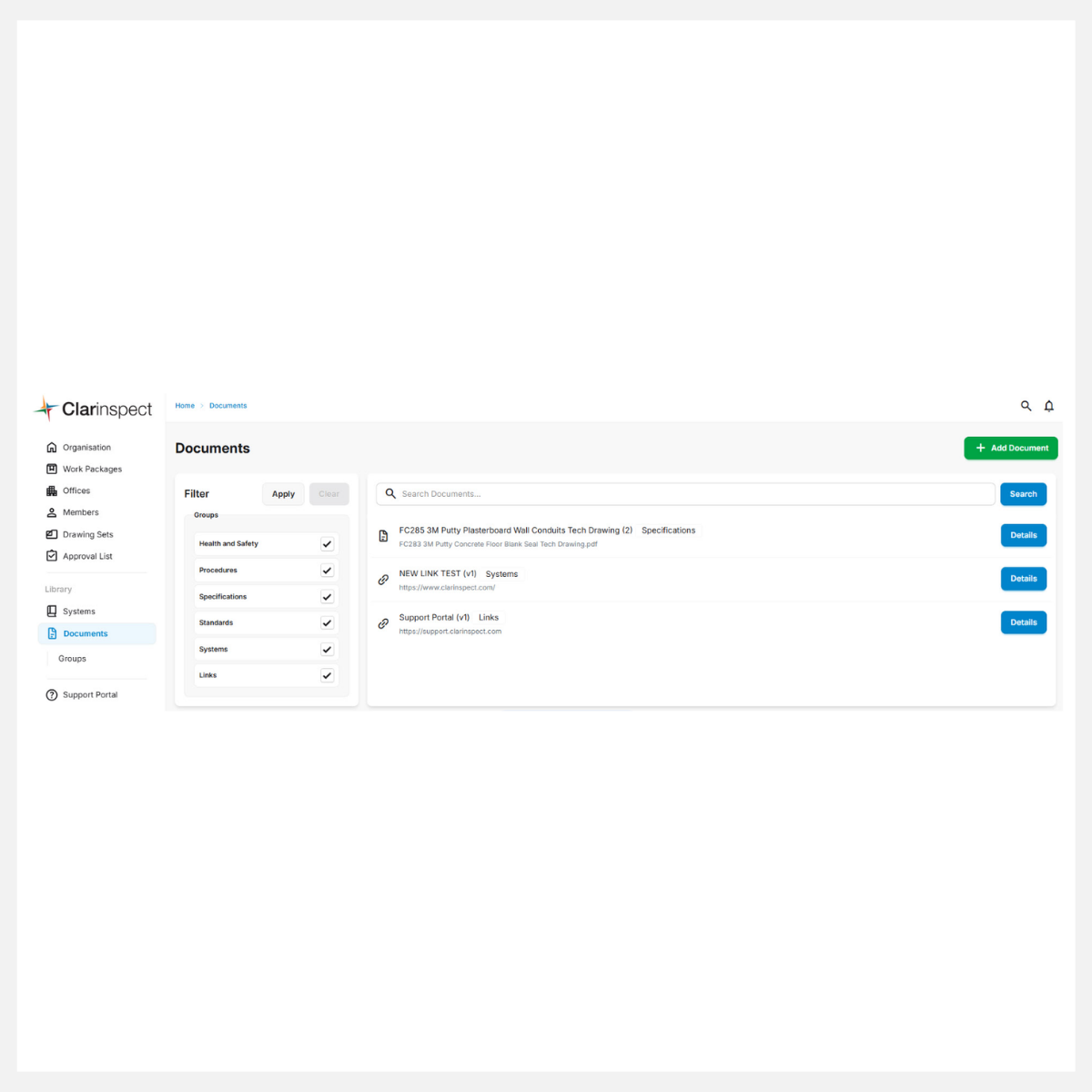
Documents feature - add on the hub - seen in the app
This week the documents feature will be released. You will see the tab appear on the hub. This means you’ll be able to upload documents to the Hub and have your team access them out in the field via the app.
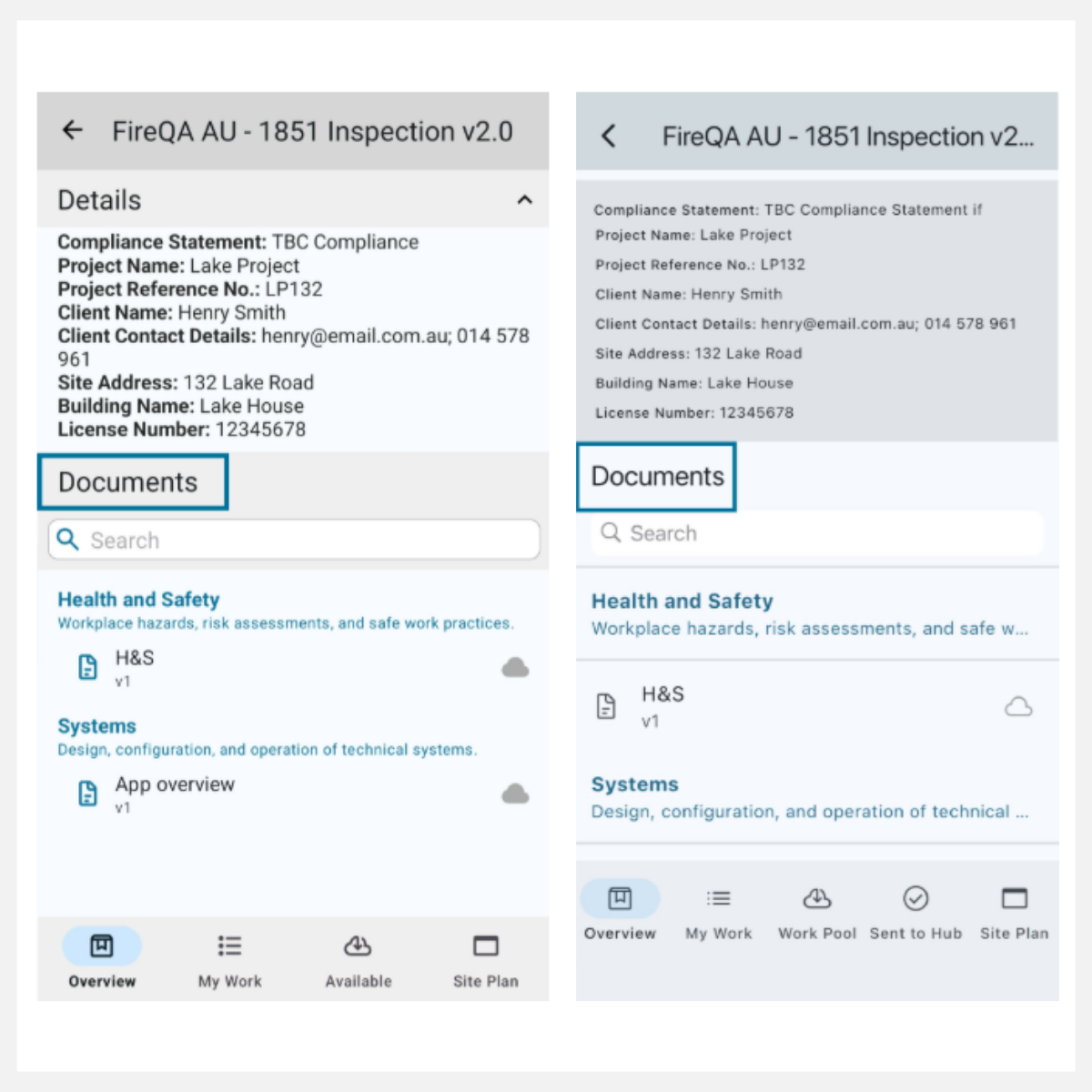
A few examples:
Engineers - SWMS, “How to use the rig” guides
Coatings teams - ITP documents, Coatings Specifications, Code Of Practice guides
Trails teams - Chainsaw safe practice guides
Every one - A google maps link so they can get to the site easily
Simple, practical, and all in one place - right when your team needs it. Go check this article in the knowledge base for more information: Adding Documents in the Hub
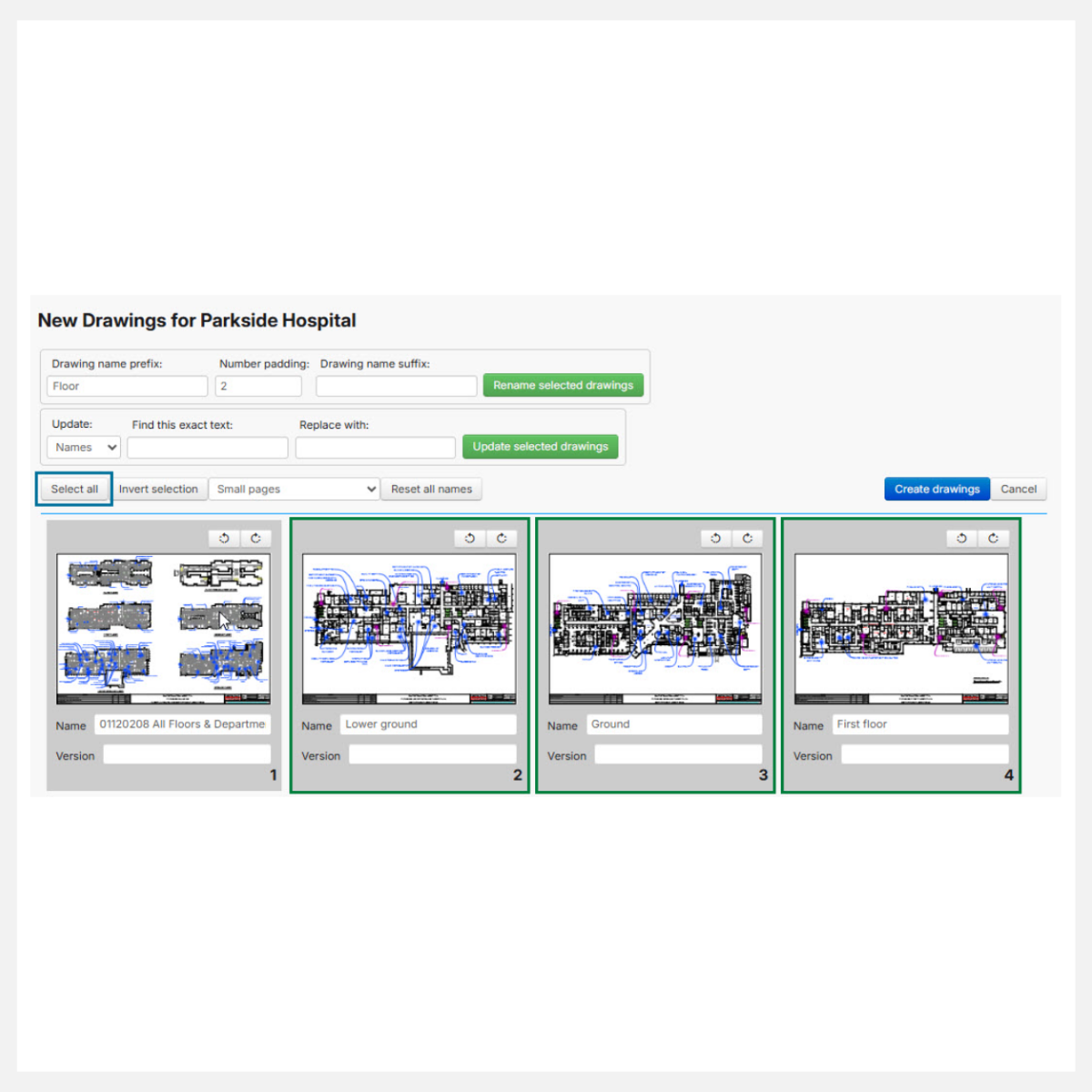
Rotate ALL your drawings in one go
✔ All Hub Users
Big time saver: you can now rotate an entire set of drawings at once - not one by one.
Hit Select All, then rotate. Done.
Perfect for when a bunch come through in portrait... eek. No more clicking through each one individually.
To learn more about this exciting new feature check out this article in our Knowledge Base:
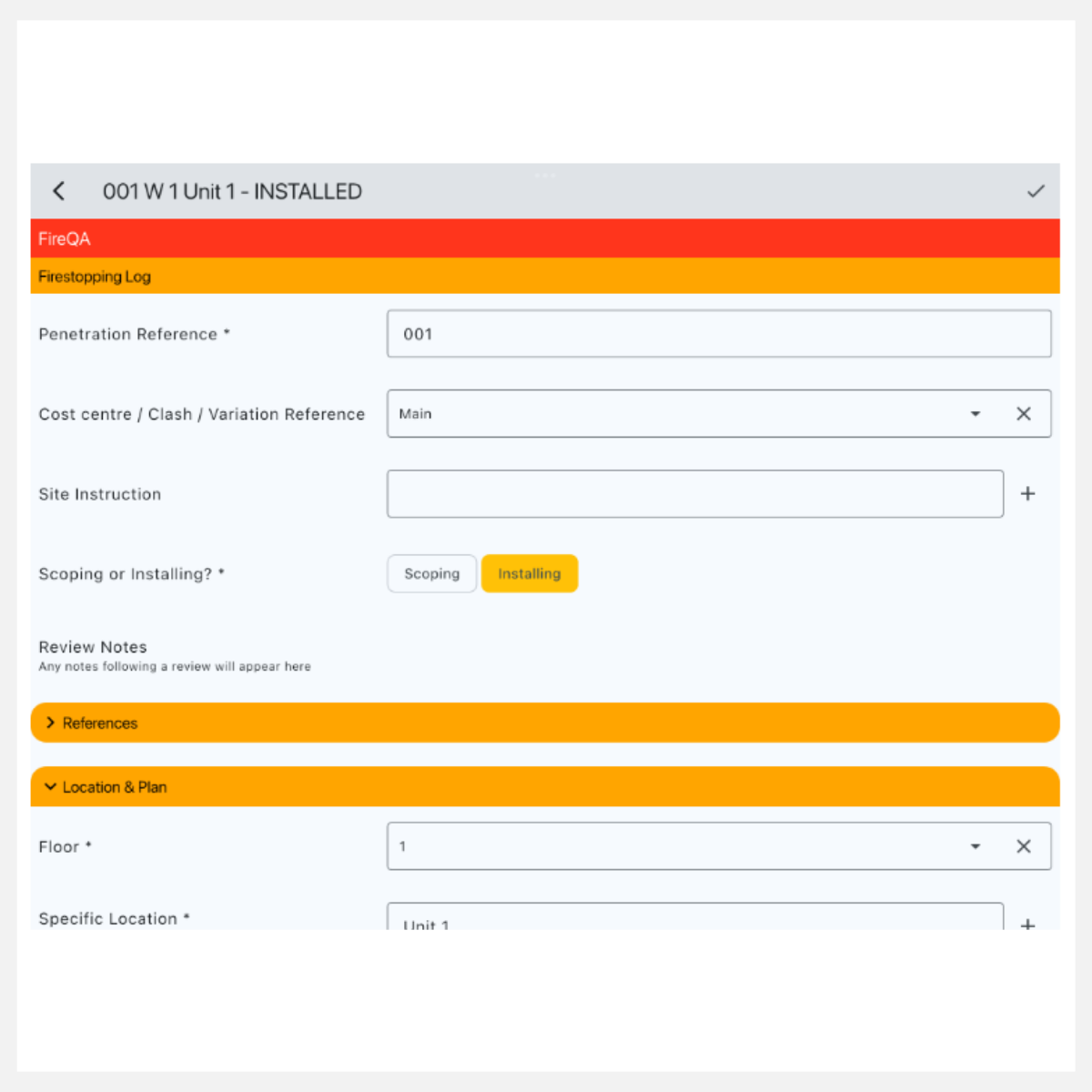
New compact view iOS app layout on iPads
✔ All Hub Users
With this new layout you will get more on the screen at once, less scrolling! It's a win for working faster and so you can see more of your information at once.
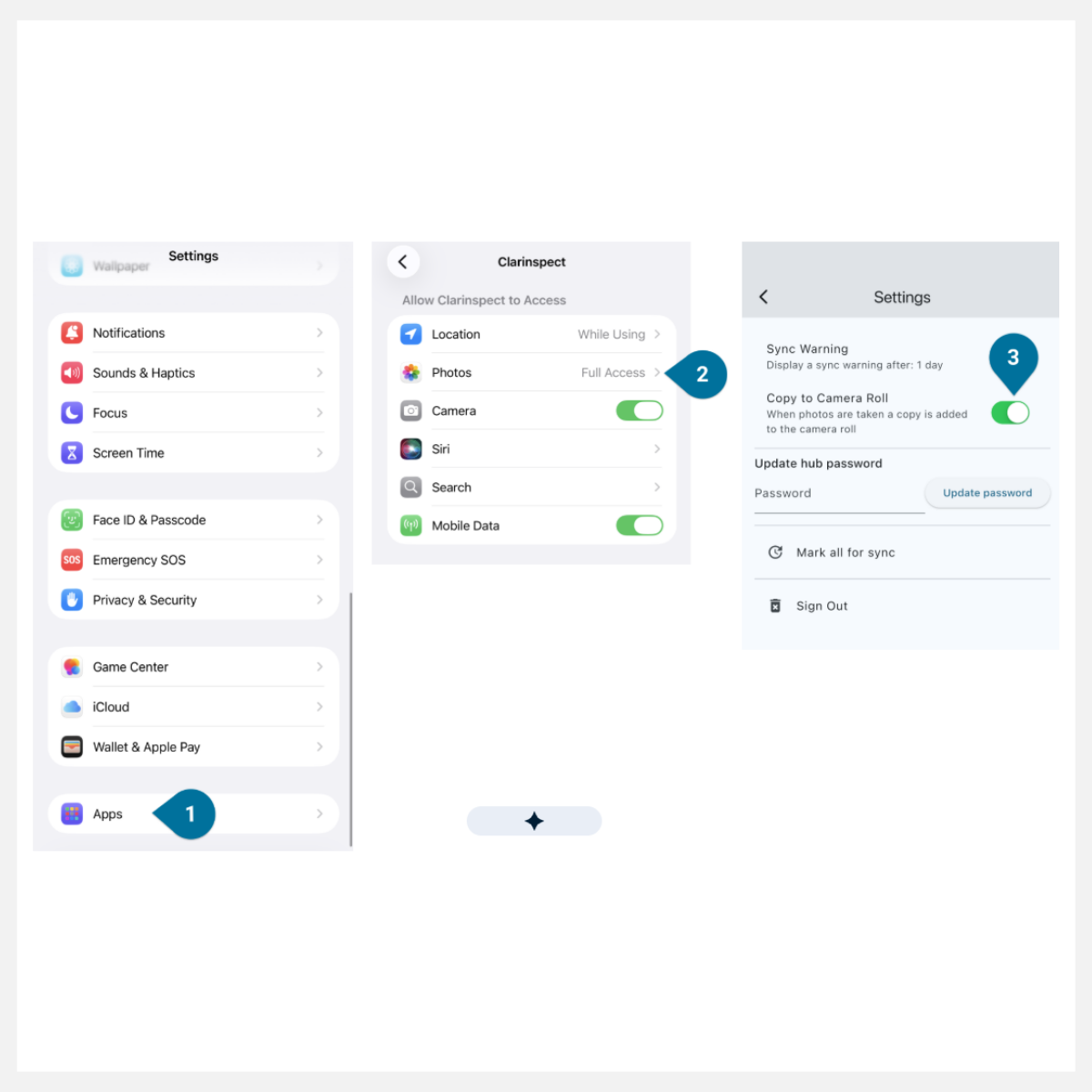
iOS you can now save your photos to your photo roll
✔ iOS users
You can now choose to automatically save photos from the app to your phone's camera roll as they're taken. This removes the need to save each photo manually and could be especially useful for many of our engineering and property teams who regularly capture photos on site. To save to camera roll;
1. Go to apps in iOS settings
2. Allow full access to photos
3. Turn on copy to camera roll in Clarinspect settings
Our Terms & Conditions have been updated
We have updated our Terms and Conditions which can be found here: TERMS & CONDITIONS.
In a nutshell the changes to the Terms and Conditions are below, please have a read so that you are aware of these updates:
Access by AI / Screen Scrapers & automation technology
We've updated the section below on AI scrapers. These tools are powerful - please give it a read and use AI carefully.
>>The Hub and App are designed for use by identifiable human users and must not be accessed by automated systems, bots, or AI scrapers. Unauthorised automation puts your own data at risk and could impact the experience of every user on the platform.
If you need to automate data access, we can help you do it properly - talk to us about our API and webhook options.
Proprietary / Intellectual Property Rights
We have updated section 2.8.1 which is about giving a third party access to the services. This section here:
>>2.8.1 The Customer must not, and must not permit any third party to, access or use the Services:
a) to build, or assist a third party in building, a product or service that is competitive with the Services;
b) to benchmark or evaluate the Services for the purpose of developing, marketing, or supporting a competing product or service;
c) if the Customer is, or is employed by, a business that provides services substantially similar to the Services (a "Competing Business"), without first obtaining Clarinspect's prior written consent. Clarinspect will not unreasonably withhold such consent where the Customer's use is personal, unrelated to the Competing Business, and does not involve disclosure of the Services to the Competing Business or its personnel;
d) to disclose, demonstrate, or provide access to the Services to any employee, contractor, or representative of a Competing Business.
Clarinspect may suspend access pending review, and may terminate access if it reasonably determines, after giving the Customer a reasonable opportunity to respond, that the Customer is in breach of this clause.
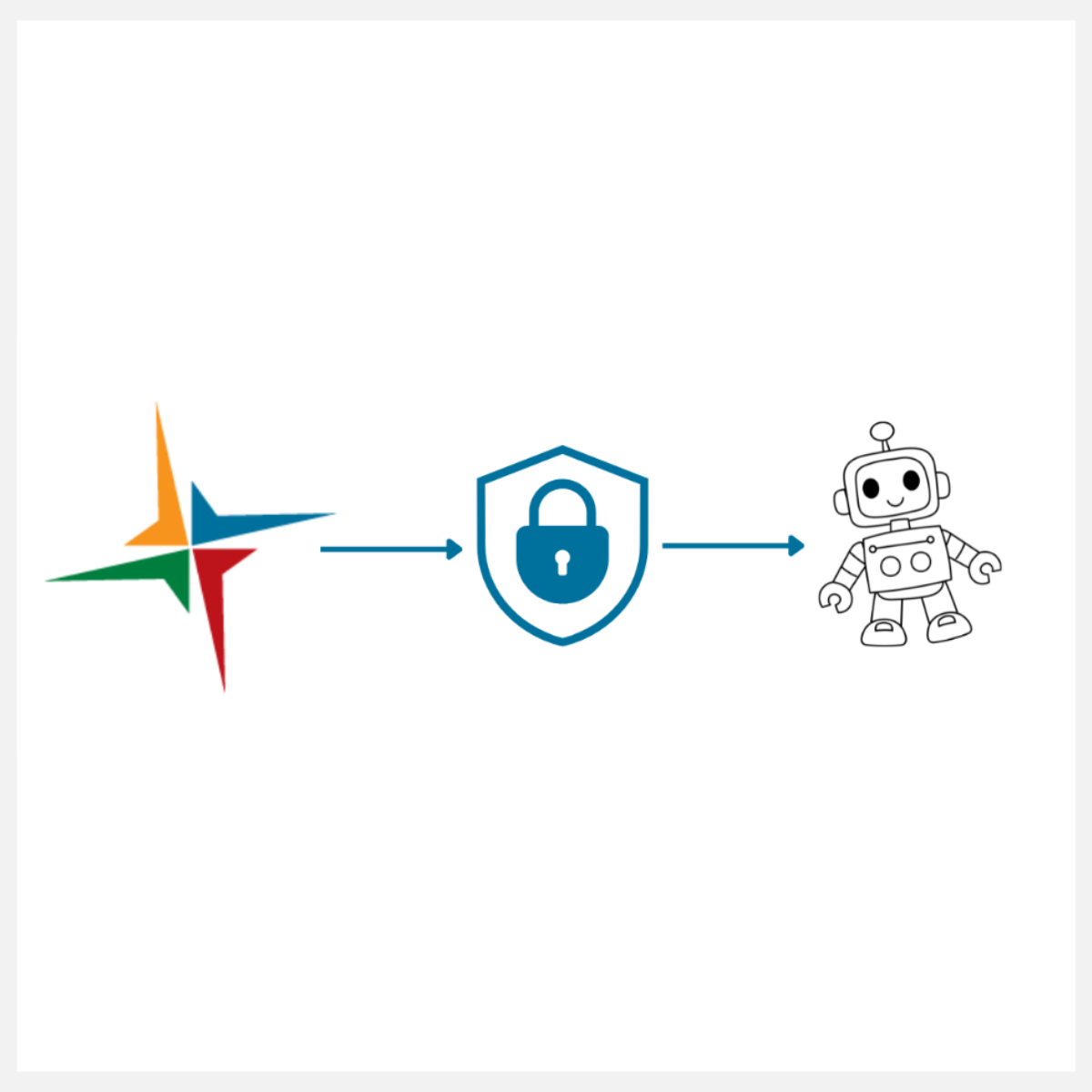
Want Your Data Analysed by AI?
We love AI as much as the next person - but at this stage, Claude, ChatGPT and our other AI friends need to stay on the outside of ClarInspect. This keeps your data and your clients' details safe and ensures full data sovereignty. 🔒 What we can do is help you get your data into Excel first via an API - and once it's safely extracted, you're free to let AI work its magic! Or use the API directly to fuel your AI and offline analysis. There are two easy ways to do this:
1. Export to Excel - simply hit the Export to Excel button in the Hub for a quick download, 2. Linked Spreadsheet - at the push of a button, this pulls data from your selected Work Packages directly into Excel, keeping everything clean and connected
Don't have a Linked Spreadsheet set up yet? Get in touch with your Project Lead and we'll look at how we can create some efficiencies for your team. We are expanding the API, you will be able to do more with it soon!

Spot Work Packages with Items Pending Review Faster with Orange Badges
✔ All users
Inspections that are pending review will now appear in the Work Package list as an orange square, with the number indicating how many inspections are ready for review. You can instantly see where work has been done and where your attention is needed.
Read the guide below to learn more about using reviews.
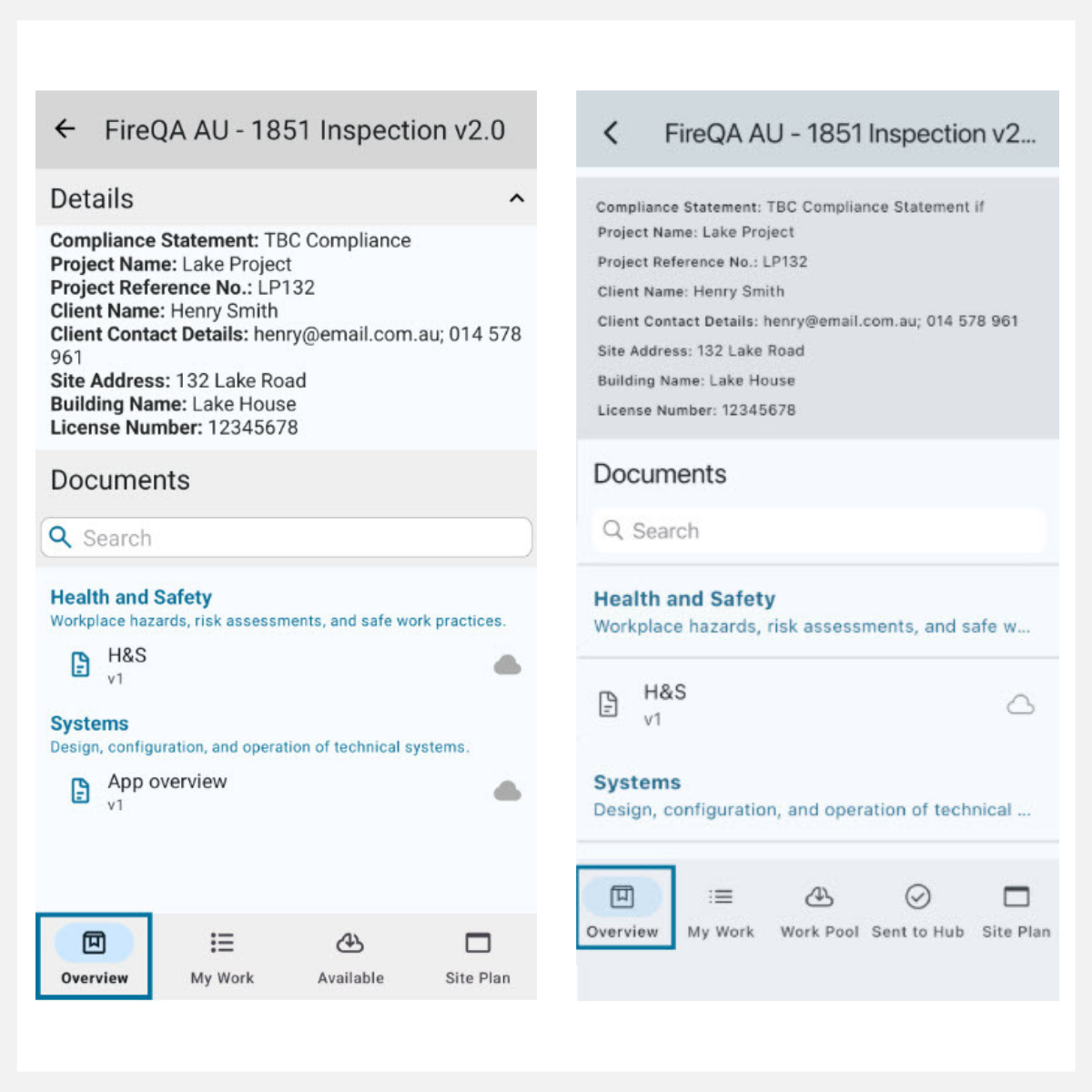
Overview tab in the app
✔ All users
Coming soon - a new tab in the app where all your site details and documents live in one spot. Site manager's phone number, key contacts, plus Documents: a place to send out links and PDFs to the team on site, so everyone's working off the same info without digging through group chats or email.
Price increase from August 1st. 2026
✔ All users
As flagged earlier, it's been over two years since our last price increase, and costs have gone up a fair bit across the board in that time - so from August 1st, we're adjusting prices to keep up.
We've held off as long as we could. This keeps us able to keep supporting you properly.
Got questions? Please get in touch, happy to talk it through.
Want to lock in current pricing? Pay for the year ahead now and you'll save 10% and dodge the increase. Best of both worlds, but you'll need to move quick, this needs to be sorted before August 1st.
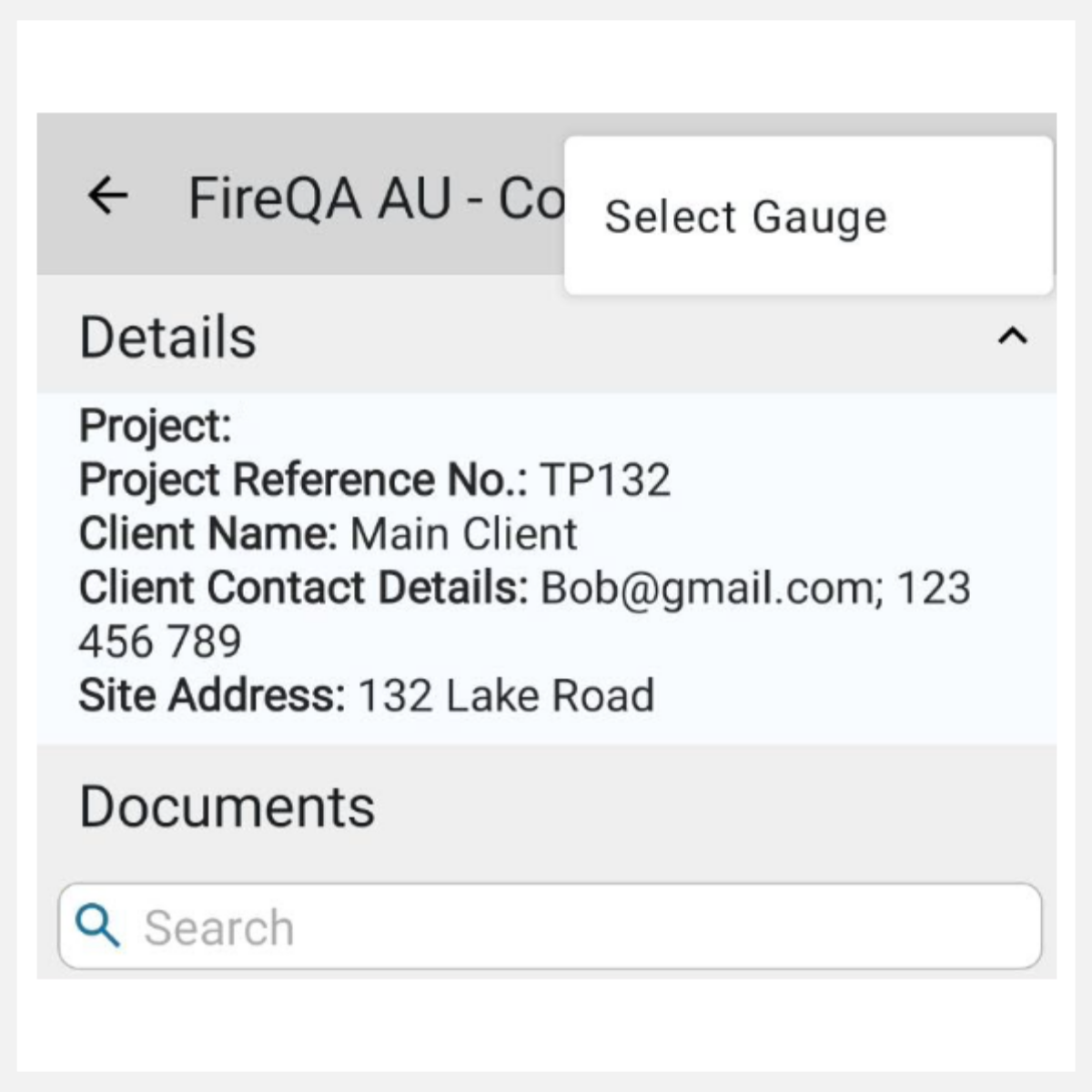
Coatings QA and Log - Add Gauge
You can now add the gauge in the Overview tab in the app. You can still access it in the usual way, just an easy option to access as soon as you open the Work Package.
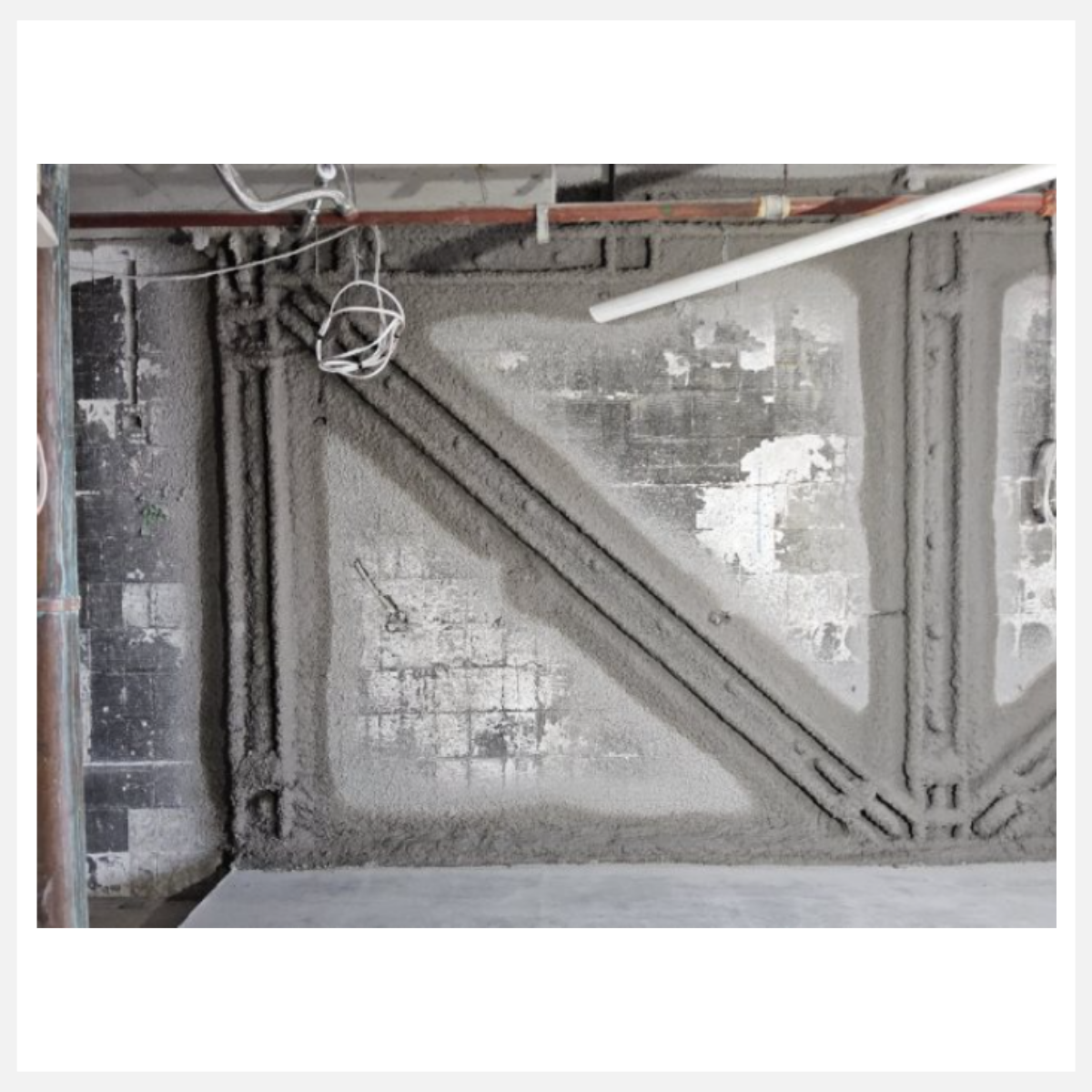
Cementitious Spray Just Got Easier to Log
If you're spraying cementitious or vermiculite, you know the tedious part isn't the spraying - it's proving you did it right. Photos, needle checks, batch numbers, thickness readings, all needing to turn into something a client can sign off on.
FireQA's Cementitious Spray system handles that bit. Load your item list from Excel or a take-off sheet before you start, so the team's ready to go. On site, drop a pin for each item sprayed, snap the needle photo to show thickness, log the batch. That's it.
When you're done, the app builds the PDF spray log for you - photos, batch data, climatics, thickness, all in one place. Need it in Excel for invoicing or handover? One tap and its done.
Less time rebuilding records after the fact. Reports that go out in days, not weeks. And documentation that actually holds up when a client or engineer asks questions. The cost for the additional system is a one-off payment of $800. Get in touch for a demo today. Check out our website page all about it - CEMENTITIOUS SPRAY LOG
New Australian support number
Heads up for our Aussie mates!
We've switched to a new support number - we weren't happy with the call quality on our previous provider, so we've made the move to something better.
Please update your contacts with the new number:
+61 1800 411 668
Give it a save in your phone and you're all set!
Top Tips and Tricks
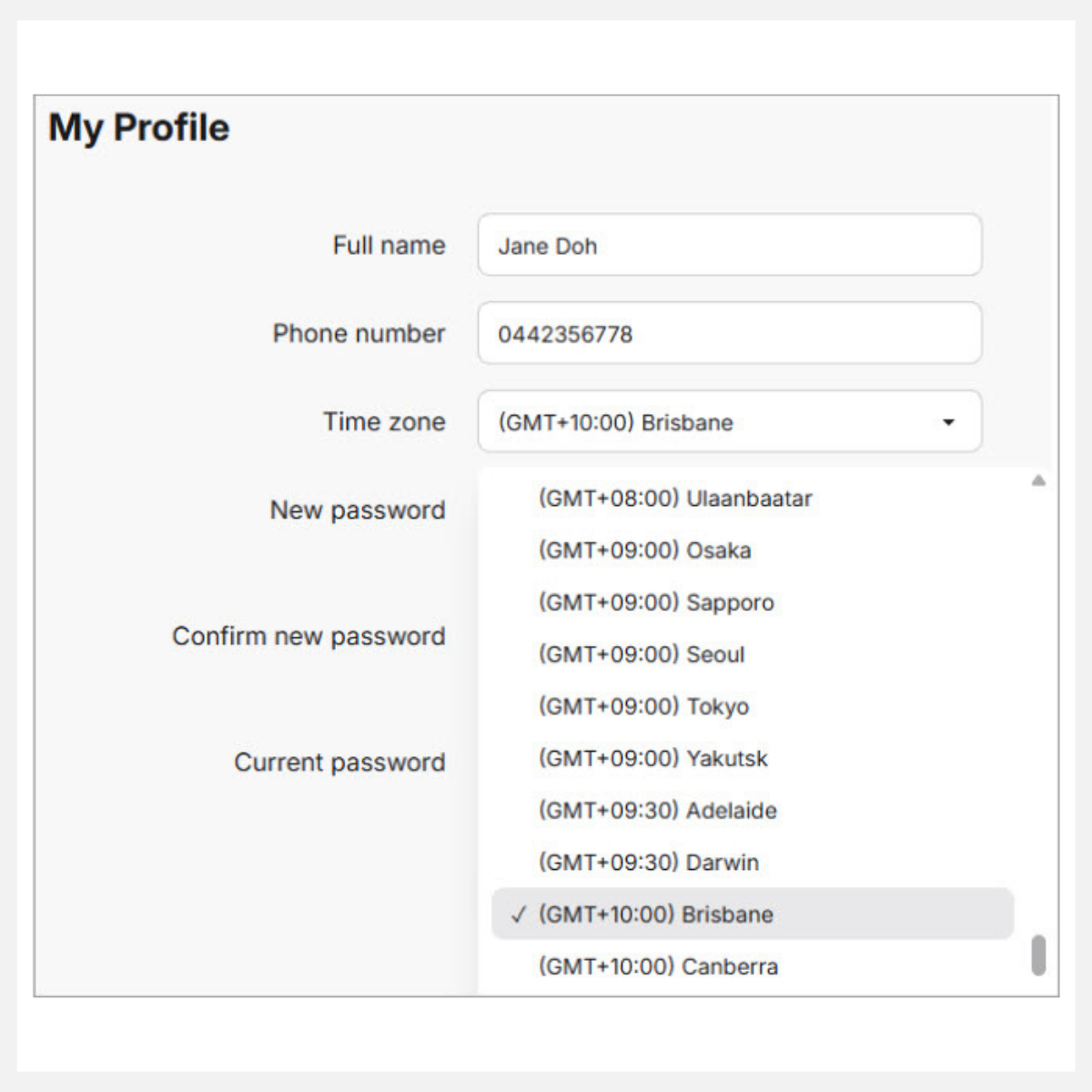
Check Your Time Zone Settings
Quick one for your team - make sure everyone's time zone is set correctly in Clarinspect.
If it's off, your spray logs and reports can show the wrong time, which gets confusing fast when you're matching records across a site.
Easy fix: each person heads to Your Profile (bottom left in the Hub, click on your name), and selects the correct time zone. Takes 10 seconds, saves headaches later.

Did you know our app can read QR codes?
✔ All users
Got a site or hospital that already uses reference numbers for items? We can add a button that scans the QR code and drops the number straight into your item or penetration reference field.
No more typing out 10-digit numbers. No more typos.
Want this feature? Or thinking of adding QR codes to your stickers? Just get in touch.
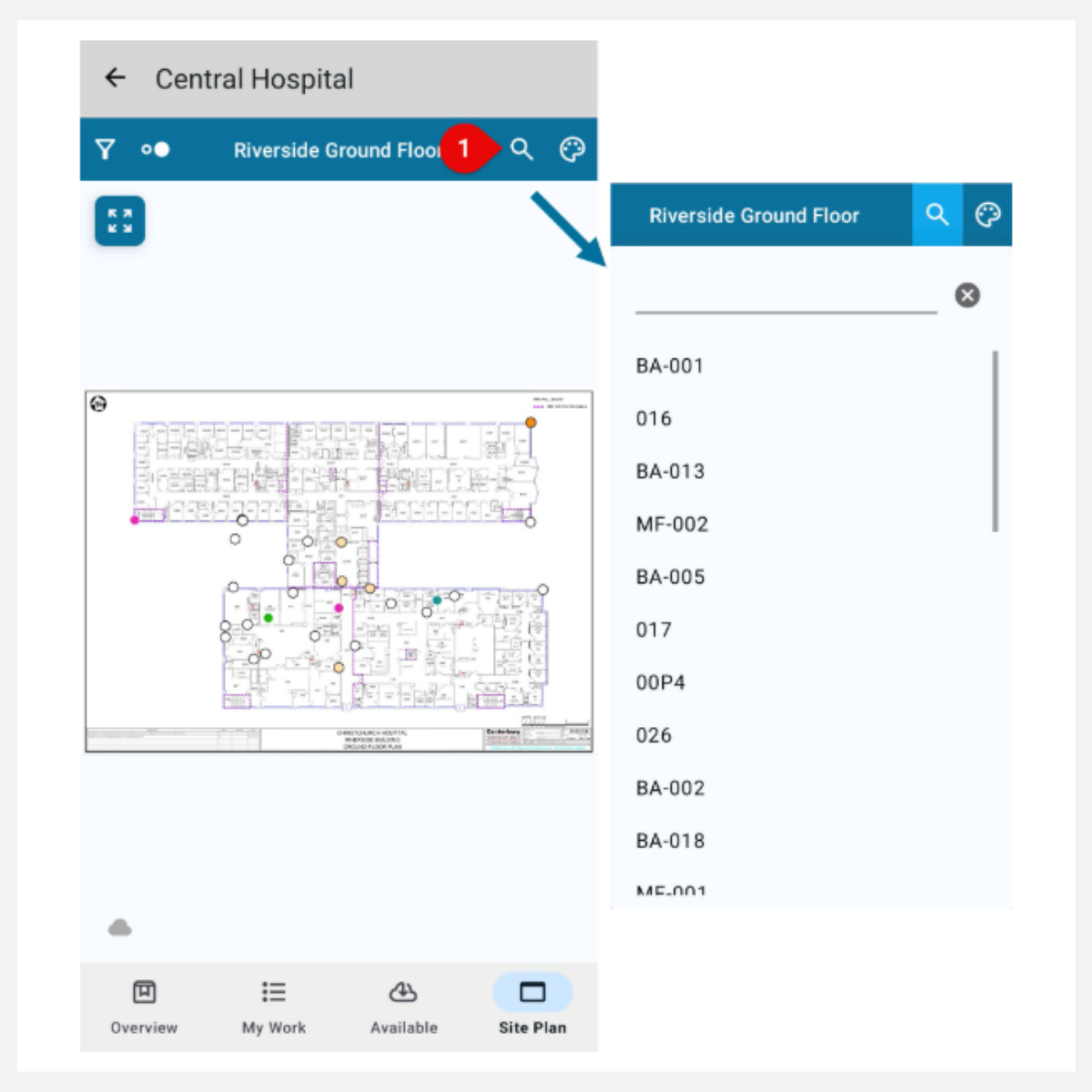
App tip - find pins fast with Search 🔍
✔ All users
In the app while on the Site Plans tab, tap Search and type in an pin item reference. The app zooms straight to that pin on the plan - no scrolling, no hunting.
A small feature, but it'll save you time in the field. Try it next time you're on site.
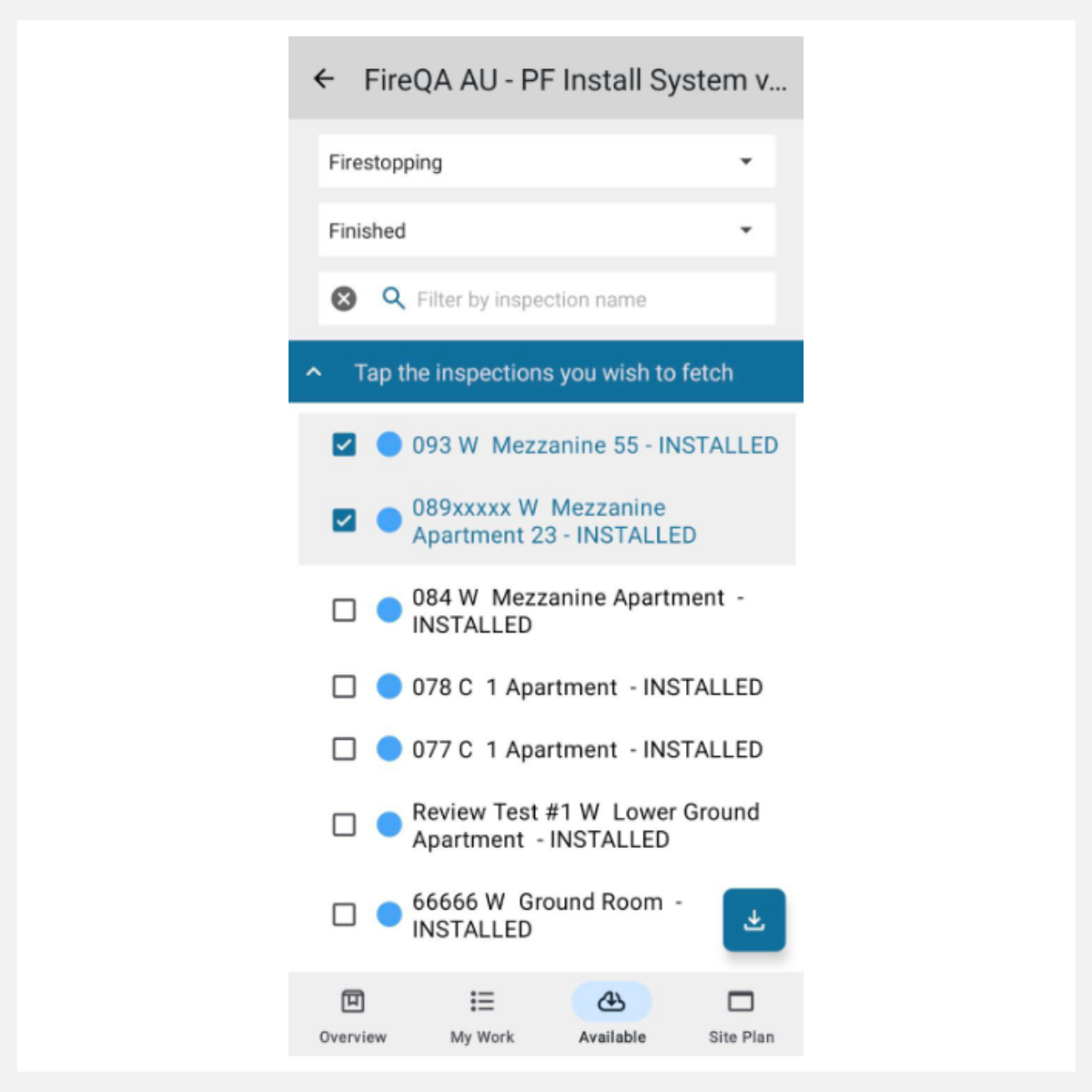
Oops - Accidentally sent back to hub too soon?
Working fast and accidentally sync something back to the hub before you're done? Easy fix.
Head to Work Pool/ Available → FINISHED queue, find it, and retrieve it. Select it with a tick and tap the blue button on the bottom to download it. Add what you missed and carry on.
Thanks so much for reading and staying up to date!
If you have any cool ideas or an update you'd love to see soon, feel free to reach out.
We really value your input and guidance - it’s all part of the team effort.
If you need more info on anything you can always search our knowledge base which is in the Support Portal tab on the hub
Best regards,
The Clarinspect team